Google Workspace App Authorization
What you'll see when you authorize ShiftControl in Google Workspace — and exactly what you're approving.
Overview
ShiftControl manages your Google Workspace with permissions that Google grants and that you approve. There's no agent installed in your tenant and no master credential. You can grant those permissions in one of two ways:
- The Google Workspace Marketplace app (recommended). A Super Admin installs the ShiftControl app from the Google Workspace Marketplace for everyone in your organization. Google grants the app's permissions as part of the install. The connection belongs to your organization: ShiftControl connects as one of your Super Admins and switches to another Super Admin if that admin leaves. See Google Workspace: Marketplace App or OAuth.
- OAuth. One admin signs in and approves ShiftControl through Google's standard authorization flow. Every API call ShiftControl makes uses tokens issued through the screens described below, and every token is scoped to what you explicitly approved. The connection depends on that admin's authorization.
The rest of this page describes the OAuth flow.
Understanding the authorization flow matters because:
- You're approving real permissions. Each permission lets ShiftControl do a specific kind of work in your Workspace. You should know what each one is for.
- You can delegate the approval. If you're not a Google Workspace Super Admin, you can send a 48-hour link to someone who is. They approve; you continue.
- Re-authorization is non-destructive. Running the flow a second time refreshes tokens — it doesn't reset your org or lose any data.
What You'll See
The authorization flow has two screens. Both come from Google, not ShiftControl.
1. Sign in with Google
You start by choosing a Google Workspace administrator account (or signing in with one if you aren't already). The screen is Google's standard sign-in dialog with the ShiftControl logo and name.
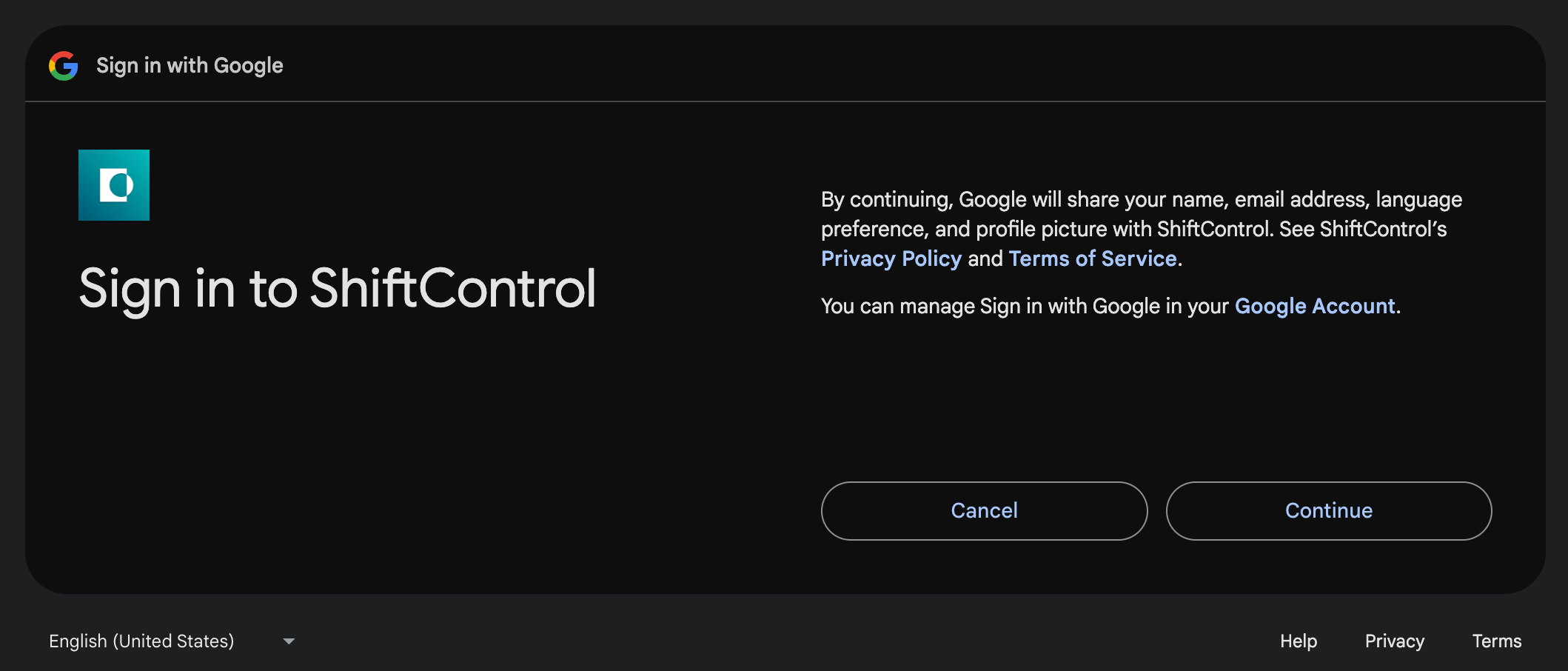
Click Continue to proceed.
2. Approve permissions
What happens next depends on whether this is a new authorization or an update to an existing one.
First-time authorization
Google shows the full list of permissions ShiftControl is asking for, each with its own checkbox and a Select all at the top. Leave Select all checked unless you have a specific reason to deny a permission — ShiftControl features that depend on a denied permission will break.
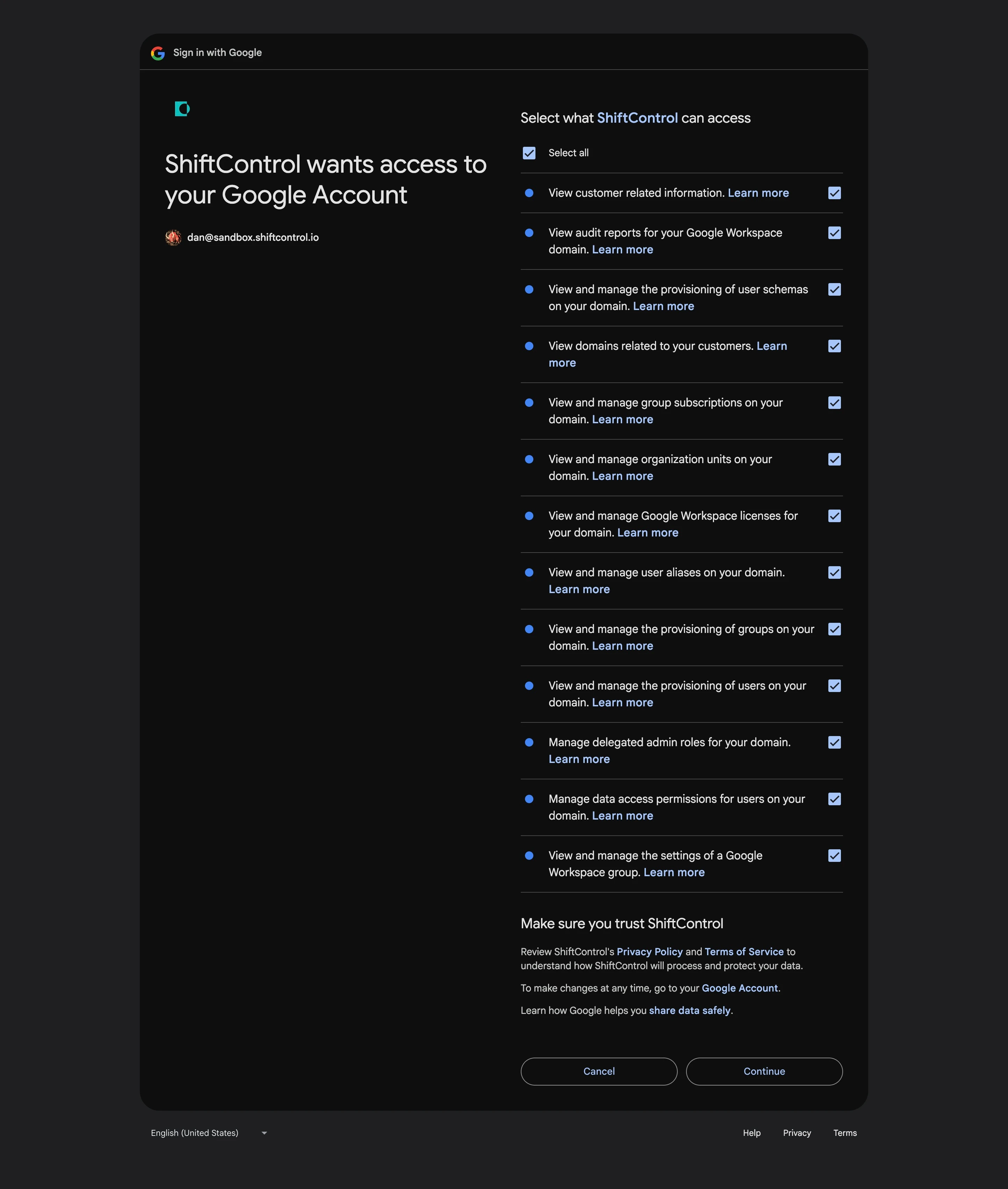
The permissions you'll see are:
| Permission as Google shows it | What ShiftControl uses it for |
|---|---|
| View customer related information | Reading your customer record from Google Workspace |
| View audit reports for your Google Workspace domain | Surfacing OAuth access, login activity, and security events in ShiftControl dashboards |
| View and manage the provisioning of user schemas on your domain | Writing the Teams attribute into a custom Google user-profile schema so it's visible across directory systems |
| View domains related to your customers | Listing the Google Workspace domains in your org for the Directories page |
| View and manage group subscriptions on your domain | Adding and removing members from Google Groups, including nested groups |
| View and manage organization units on your domain | Reading your Workspace's organization-unit structure so ShiftControl can mirror it |
| View and manage Google Workspace licenses for your domain | Assigning, removing, and reporting on Workspace seat licenses |
| View and manage user aliases on your domain | Managing the email aliases attached to each user |
| View and manage the provisioning of groups on your domain | Creating, updating, and deleting Google Groups |
| View and manage the provisioning of users on your domain | Creating, updating, suspending, and deleting users |
| Manage delegated admin roles for your domain | Reading and updating which users hold which Google Workspace admin roles |
| Manage data access permissions for users on your domain | Reading and updating user security state — 2-step verification status, app passwords, sign-in info |
| View and manage the settings of a Google Workspace group | Configuring group-level settings — visibility, who can post, and so on |
| View and manage data transfers between users in your organization | Initiating data transfers when offboarding (move Drive, Calendar, etc. from a departing user to their replacement) |
The View and manage data transfers between users in your organization permission was added to the ShiftControl OAuth client after the screenshot above was captured. The real consent screen will show this row at the bottom of the list — that's the one ShiftControl uses for offboarding-time data transfers. The screenshot will be refreshed in a future docs update.
Click Continue to approve. ShiftControl receives the tokens and the integration starts working immediately.
Re-authorization
If you've authorized ShiftControl before, Google shortens the screen — instead of re-listing every permission, it shows a summary banner ("ShiftControl already has some access. See the X services that ShiftControl has some access to.") with a "Make sure you trust ShiftControl" section.
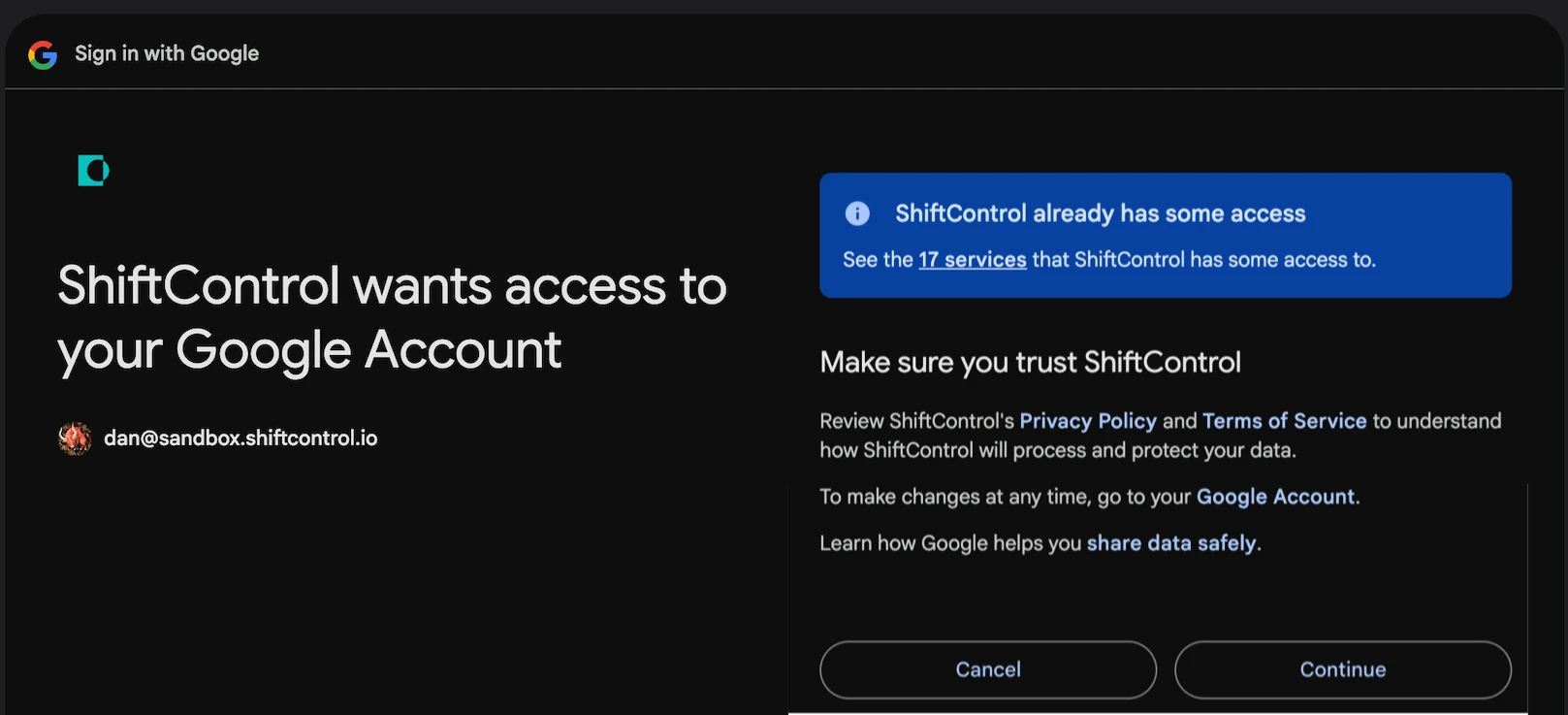
Click Continue to refresh your tokens. Your existing ShiftControl data (users, groups, app assignments, departments) is untouched.
If ShiftControl adds a new permission between authorizations, the next re-authorization shows the full permission list again so you can review and approve the new one.
What ShiftControl Never Asks For
ShiftControl never requests access to message bodies, file contents, calendar event details, or any other user content. The scopes you'll see are all administrative — they let ShiftControl manage identity and access, not read user data.
Scopes ShiftControl will never request include https://mail.google.com/, https://www.googleapis.com/auth/drive, https://www.googleapis.com/auth/calendar.events, or anything else that touches the contents of mail, files, or calendars.
Delegated Authorization
Not everyone who starts onboarding or connects the Google directory is a Google Workspace Super Admin. The permissions ShiftControl needs require Super Admin consent — but you don't need to be the Super Admin yourself to start the flow.
Delegated authorization lets a non-admin (or an admin without their credentials in front of them) generate a single-use, 48-hour link and send it to a Super Admin who completes the approval on their end.
How delegation works
Start authorization
From Settings → Directories, click the Google connector's ⋮ menu → Authenticate.
Choose Delegate authorization
Instead of signing in yourself, select Delegate this and enter the email of your Google Workspace Super Admin.
ShiftControl sends a one-time link
The Super Admin receives an email with a unique authorization link. It's valid for 48 hours and single-use. They don't need a ShiftControl account — the link drops them directly onto the Google sign-in / consent screens above.
Super Admin approves
They sign in, review the permissions, and click Continue. ShiftControl exchanges the resulting code for tokens and links them to your ShiftControl org.
Status updates back in ShiftControl
Once the Super Admin finishes, the Google connector status flips to Enabled / Healthy in your org. The Super Admin doesn't see any of your ShiftControl data — they only approve the authorization.
Multiple concurrent delegations
You can have multiple delegation links outstanding for the same Google integration. This is intentional — if you sent a link to one admin and they didn't act on it, you can send another to a different admin without invalidating the first. Whichever one is completed first wins; the others lapse harmlessly at 48 hours.
Re-Authentication
If your Google integration ever goes Unhealthy — Google revoked the token, the refresh window lapsed, credentials rotated — ShiftControl prompts you to re-authenticate.
Re-auth is non-destructive:
- Successful re-auth resets the integration's health back to Healthy.
- Your existing ShiftControl data (users, groups, app assignments, departments) is untouched.
- New tokens replace the old ones; the old ones are revoked.
- Re-auth can be delegated the same way the initial authorization can.
Things to Know
- Permissions can change between releases. When ShiftControl adds a feature that needs a new permission, that permission appears on the consent screen the next time you authorize. Existing tokens that don't include the new permission keep working for the features they were granted for — re-auth is what picks up the additional permission.
- The "Manage data access permissions" item was added recently. This is the permission ShiftControl uses to initiate user-to-user data transfers when offboarding. If you authorized before it was added, you may be prompted to re-authorize to grant it.
- You can audit and revoke at Google. myaccount.google.com/permissions shows every third-party app that has access, including ShiftControl. Revoking there is one of two ways to disconnect — the other is Settings → Directories → Disable in ShiftControl.
- Authorization links are single-use. If you abandon a flow and come back later, you need to start a new one. The original link is no longer valid. This is by design — it prevents replay attacks.
Technical Reference
The user-visible permissions above map to specific OAuth scopes under the hood. If you're integrating with ShiftControl programmatically or auditing for compliance, the scope identifiers are:
| Scope | API surface |
|---|---|
| The full scope list ShiftControl requests, in the order it appears in the OAuth authorization URL: |
| Scope | Consent screen label | API surface |
|---|---|---|
https://www.googleapis.com/auth/userinfo.email | (Shown on Sign in screen, not the permissions list) | Links the authorizing Google user to a ShiftControl account |
https://www.googleapis.com/auth/userinfo.profile | (Shown on Sign in screen, not the permissions list) | Reads the authorizing user's display name and avatar |
https://www.googleapis.com/auth/admin.reports.audit.readonly | View audit reports for your Google Workspace domain | Reports API — audit logs |
https://www.googleapis.com/auth/admin.directory.domain.readonly | View domains related to your customers | Directory API — domains (read-only) |
https://www.googleapis.com/auth/admin.directory.group | View and manage the provisioning of groups on your domain | Directory API — groups |
https://www.googleapis.com/auth/admin.directory.group.member | View and manage group subscriptions on your domain | Directory API — group memberships |
https://www.googleapis.com/auth/admin.directory.orgunit | View and manage organization units on your domain | Directory API — organization units |
https://www.googleapis.com/auth/admin.directory.rolemanagement | Manage delegated admin roles for your domain | Directory API — delegated admin roles |
https://www.googleapis.com/auth/admin.directory.user | View and manage the provisioning of users on your domain | Directory API — users |
https://www.googleapis.com/auth/admin.directory.user.alias | View and manage user aliases on your domain | Directory API — user email aliases |
https://www.googleapis.com/auth/admin.directory.user.security | Manage data access permissions for users on your domain | Directory API — user security state (2-step verification, app passwords, sign-in info) |
https://www.googleapis.com/auth/admin.directory.userschema | View and manage the provisioning of user schemas on your domain | Directory API — custom user-profile schemas |
https://www.googleapis.com/auth/admin.directory.customer.readonly | View customer related information | Directory API — customer record (read-only) |
https://www.googleapis.com/auth/apps.groups.settings | View and manage the settings of a Google Workspace group | Groups Settings API — group settings |
https://www.googleapis.com/auth/apps.licensing | View and manage Google Workspace licenses for your domain | Enterprise License Manager API — seat licenses |
https://www.googleapis.com/auth/admin.datatransfer | View and manage data transfers between users in your organization | Data Transfer API — offboarding user-to-user data transfers |
The OAuth authorization request uses a standard OAuth 2.0 authorization-code flow with a single-use state value and per-integration nonce. ShiftControl validates state on callback before exchanging the code for tokens. The request also passes include_granted_scopes=true so previously-approved scopes carry forward on re-authorization.
Related Features
- Onboarding — the new-org flow that uses this authorization as Step 3
- Quickstart — the high-level setup walkthrough
- Directories — manage primary, additional, and disconnected directories
- Google Workspace: Marketplace App or OAuth — connect through the Marketplace app and upgrade an existing OAuth connection
- Google Workspace Connector Guide — the day-to-day Google Workspace connector setup
- Google Admins — manage who holds each Google Workspace admin role inside ShiftControl