Billing
Your plan, invoices, seats, and billing details — all in one place.
Overview
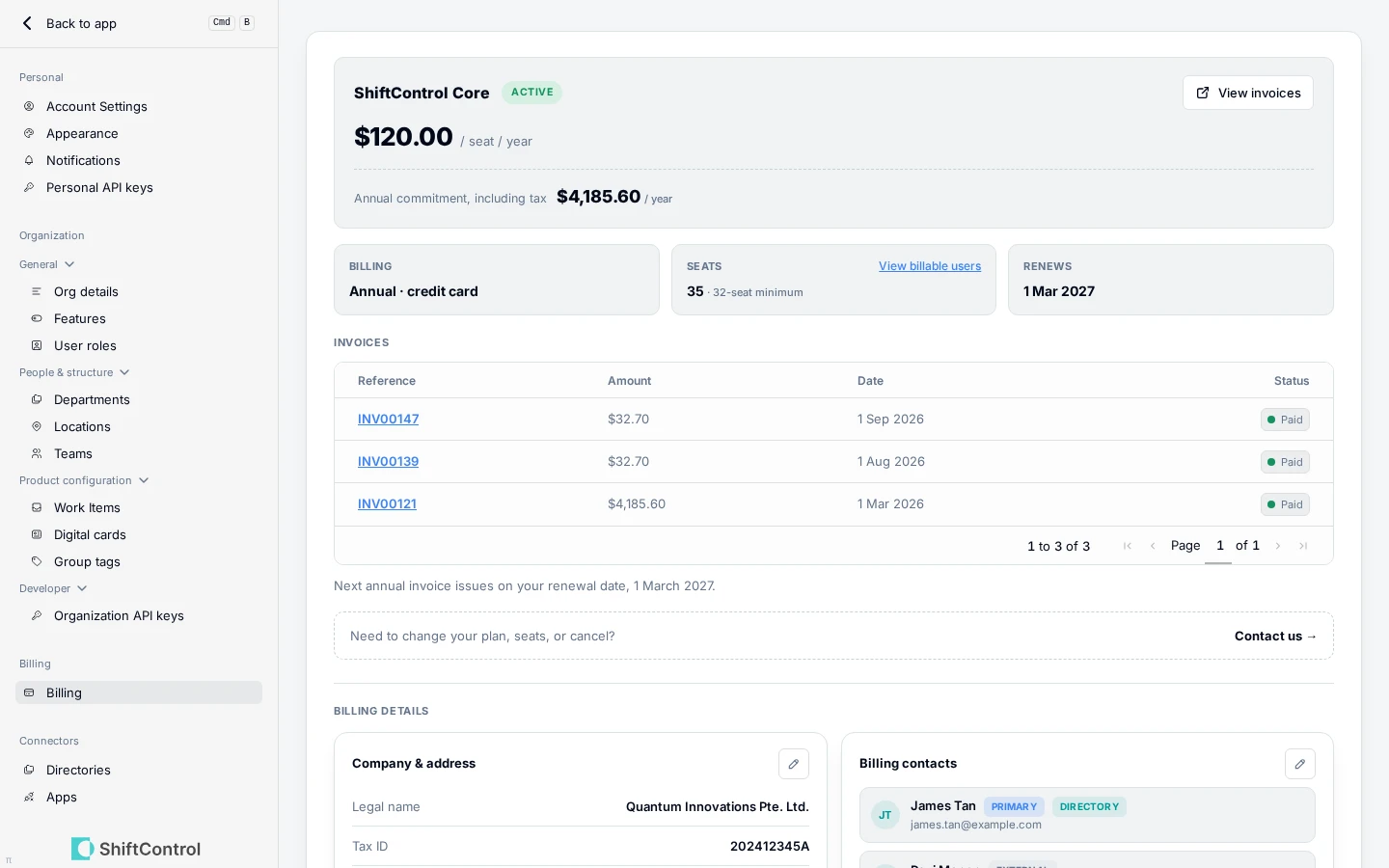
The Billing page under Settings brings everything about your ShiftControl subscription together. Choose your plan when you set up billing, keep payment and company details current, see every invoice, and check exactly which users count towards your seats — without digging through email or asking support.
How It Works
- Set up billing on one page. Choose your plan, payment method, and billing details with a live order summary beside you, so you know what you'll pay and when before you commit.
- Your invoices, inside ShiftControl. Every invoice and its status is listed on the page.
- See who you're paying for. Check which users count towards your seats — and why anyone isn't counted.
- Know when something needs attention. If a payment is due or overdue, the billing page tells you, and so does the pill at the top of the app.
- Keep your details current. Update your company details, tax ID, and billing contacts at any time.
Common Scenarios
Scenario: Picking a plan at the end of a trial
Open Settings → Billing, choose a plan, and read the live order summary — it shows what you'll pay and when before you commit. If a free trial is still running, its card stays visible alongside your billing schedule so you always know where you stand.
Scenario: Reconciling an invoice
Finance asks what a charge covers. Open Settings → Billing and open the invoice in place — no searching through email threads. Then check the seat list to confirm exactly who you're being billed for.
Scenario: A payment fails
The billing page flags a due or overdue payment, and the pill at the top of the app shows it too. Update your billing details or contact us and the state clears.
Things to Know
- Seats are transparent. The page shows which users count towards your seats and why anyone is excluded — so the number on your invoice is never a mystery.
- Changing your plan, seats, or cancelling? Contact us. The page is where you see and maintain your subscription; plan changes after setup go through our team.
- Billing contacts can be anyone you choose. Keep them current so invoices and payment alerts reach the right person.
- Access is role-based. Billing lives under Settings, so who's allowed to see or change it is governed by your user roles.
Related Features
- User Roles — control who can manage billing
- App Spend Dashboard — track spend across your SaaS apps, separate from your ShiftControl subscription
- Org Details — set your organization's default currency